
















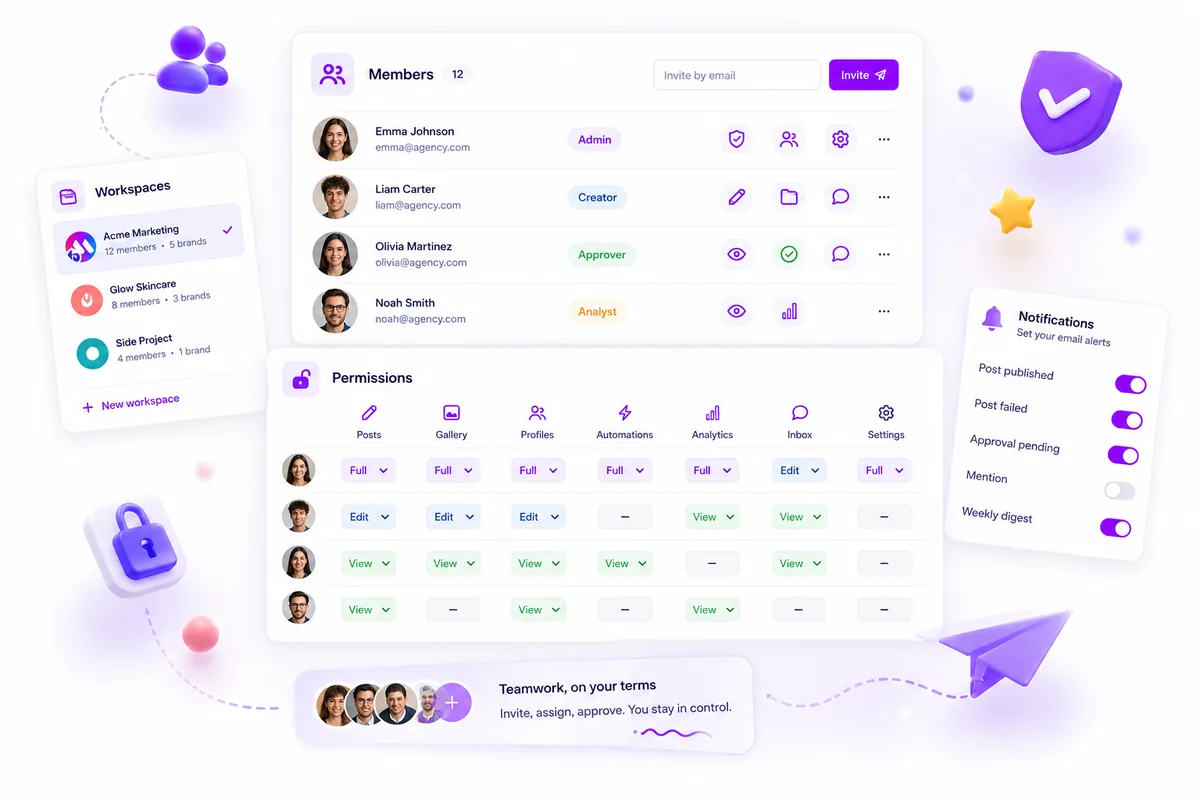
Running five separate brands across ten channels isn't just a collaboration challenge. It's a security challenge. As you publish faster, the risk of a wrong-brand tweet or a shared asset leaking across client accounts grows fast. If your platform wasn't built to enforce hard boundaries between those brands from day one, your team is playing a risky game of don't click that. We've all been there, hovering over the Publish button, sweating over whether we've picked the right account. That constant, low-level worry that you might drop a draft into the wrong channel is a quiet route to burnout. The truth is, a setup where everything is shared is a recipe for professional disaster. Real multi-brand security doesn't come from team-sharing settings. It relies on architectural isolation at the workspace level.
What the best tools need to handle

Most platforms sell team collaboration as the ultimate fix for how you work. In reality, for a team managing multiple brands, collaboration without strong isolation is a huge security risk. When you're working at scale, you need your software to act as a guardrail, not just a blank canvas.
Here's where most generic tools fall down: they assume every team member should see every brand, asset and report. They treat permissions as an afterthought bolted onto a flat, shared database. You need a platform that treats the Workspace as a hard, unchangeable boundary for data, assets and permissions.
Common mistake: Relying on user-level tags to hide assets from other teams. If a team member can browse the global media library, your brand boundaries are already broken.
Mydrop pricing check, September 2026: the entry paid plans of the eight tools most often compared with Mydrop run from $6 per channel (Buffer) and $25 a month (Later) to $99 per user (Hootsuite) and $79 per seat (Sprout Social), read on each vendor's pricing page. Mydrop is free to start, then $19 a month flat, not per seat. Full table on Mydrop's compare pages.
At Mydrop, we see this all the time: the teams that struggle most are the ones fighting their own software to keep assets apart. To stop the accidental leaks and calm the chaos, your platform needs to nail these four areas:
| Feature | What it should actually do | Why it matters |
|---|---|---|
| Data Containerization | All assets, drafts and analytics must be scoped to a specific workspace ID. | Stops cross-brand data leakage at the database level. |
| Permission Granularity | Role-based access must resolve within the context of an active workspace. | Makes sure stakeholders only affect the brands they're authorised to manage. |
| Operational Friction | The UI must force a conscious switch when jumping between different clients or units. | Eliminates wrong-brand publishing errors caused by UI fatigue. |
| Destructive Safeguards | Deleting a workspace or client unit must be permission-gated and irreversible. | Protects against accidental mass-deletions of client production environments. |
When you're supporting thousands of users across hundreds of profiles, this isn't optional. It's the foundation. If your tool doesn't containerise your workspaces, you're probably working harder than you need to, constantly auditing permissions that should be locked by default. The best tools don't just ask you to be careful. They make it impossible to be reckless.
Where basic tools start to break

If your platform treats every team member as a global admin, you're already running a data leak that's just waiting to happen. We've seen this pattern thousands of times: a platform lets everyone in the account see every asset, every draft and every channel, no matter which brand they actually support.
Here's the awkward truth about shared-everything platforms: they were probably built for a single-brand team, with user management tacked on later.
That leads to a particular kind of operational chaos. You end up with:
- Asset sprawl: Your agency designers upload a graphic for Client A, but it's sitting in a global library that Client B's social manager can accidentally pull.
- The wrong-channel panic: Because the platform doesn't enforce strict per-brand containers, a team member switching between brands is just one wrong dropdown click away from publishing a draft to the wrong audience.
- Permission bloat: You end up giving people Admin rights just so they can do their daily work, simply because the platform's permission system isn't granular enough to restrict them to just one specific brand's assets.
Most teams assume this is just the cost of doing business. It isn't. It's a design failure. If you have to rely on your team being careful to avoid a brand-damaging tweet, you haven't solved the problem. You've just added more coordination debt to their day.
The buying criteria that matter
When you're ready to move away from the hope nothing goes wrong workflow, you need to look for architectural isolation. You're not just looking for folders. You need a platform that treats a brand environment as an unchangeable container.
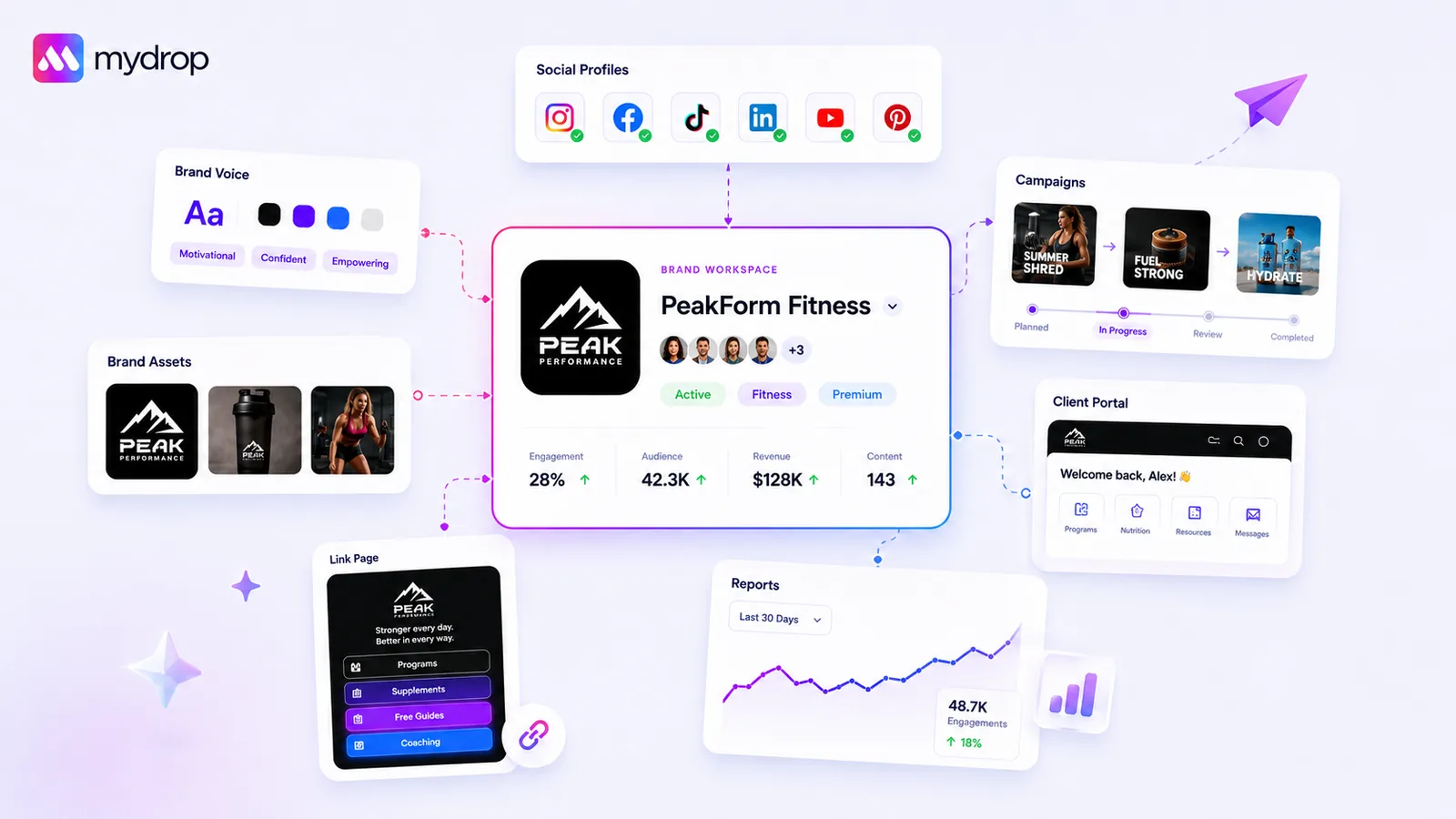
At Mydrop, we do this by using Workspaces as hard containers that enforce security boundaries. When a user is in a specific workspace, they simply cannot see data or assets from another one. The system isolates billing, team members and product data at that container level.
If you're weighing up tools, use this scorecard to grade your current setup.
The Multi-Brand Security Scorecard
| Capability | Basic Tool Behavior | Enterprise-Ready (Mydrop-level) |
|---|---|---|
| Data Isolation | Global bucket for all brands | Workspace-scoped container |
| Access Control | Flat Admin vs. User roles | Granular permissions per workspace |
| Asset Security | Visible to all members | Locked to active workspace context |
| Accidental Cross-Post | High risk; shared environment | Hard boundary; context-specific |
| Operational Friction | High; manual cleanup required | Low; automated scope enforcement |
Operator rule: If a platform's Workspace feature is just a label for a shared folder and doesn't explicitly restrict who sees what data, it's not an enterprise-grade multi-brand solution. It's just a different view of the same leaky bucket.
When you're looking at your next platform, ask the vendor this: "If I invite a consultant to work only on Brand A, is there any scenario where they can see assets, reports or scheduling details for Brand B?"
If they start talking about complex team settings or custom views, run. A secure platform should give you a simple, definitive "No."
The goal is to remove the possibility of cross-brand errors at the software level. When your tools do the heavy lifting on security, your team can focus on the actual strategy, not on double-checking whether they're about to tweet to the wrong client. Remember, professional anxiety is a quiet route to burnout. Take it off your team's plate by choosing a platform that actually enforces the boundaries they need to stay safe.
How Mydrop supports this workflow
At Mydrop, we've found that the most effective way to handle multi-brand complexity is to treat each workspace as a hard-walled vault. When you manage dozens of channels, you can't rely on administrative discipline or manual checks to stop your brand assets leaking. You need an architecture that makes it physically impossible to mix up client data, because the platform itself separates it at the root.
In Mydrop, every core object (your product collections, billing, member rosters and team settings) is strictly scoped to its own workspaceId. When a user switches from an agency client environment to an internal brand project, they aren't just changing a filter. They're switching their entire authorisation context. This architectural isolation is what prevents the catastrophic wrong-brand tweet. The platform simply doesn't know that assets from Brand A exist when you're working inside Brand B.
We designed this around a few operator-first principles:
- Context switching that sticks: The app remembers your last active workspace for every user, so when you log in, you land straight in the right environment.
- Permission-gated actions: Because member access is explicitly mapped to the workspace, you can confidently give junior team members full posting rights in one environment while limiting them to read-only access in another.
- Containerised billing and quotas: You never have to worry about one brand's publishing volume accidentally eating into the quota or budget set aside for another.
This setup removes the silent, ongoing worry of "Am I working in the right place?" You know you are, because the UI only shows you what belongs to that specific, isolated boundary.
Decision check: If your platform lets a user see assets from all brands by default, you haven't built a multi-brand workflow. You've built a data leak waiting to happen.
A simple shortlist checklist
Before you commit to a platform, run it through this four-pillar audit. If a tool fails more than one of these checks, keep looking.
| Pillar | Requirement | Why it matters |
|---|---|---|
| Asset Isolation | Are brand assets strictly partitioned by workspace? | Prevents accidental cross-pollination of creative work. |
| Permission Granularity | Can you set unique member roles per workspace? | Ensures staff only access what they need for that specific client. |
| Operational Friction | Does switching workspaces take more than one click? | High friction leads to users staying in the wrong workspace. |
| Destructive Safeguards | Are deletions permission-gated and scoped? | Prevents a rogue user from wiping data across other brands. |
Watch out: Many teams judge platforms on how many features they have rather than how well those features are partitioned. A feature is only an asset if it's contained.
Conclusion
Most teams don't have a content problem. They have a coordination debt problem. The pressure to publish more without losing control is only going to grow, and you can't fix fundamental architectural issues with more meetings or better spreadsheets.
You need a platform that treats your brand boundaries as sacred. Whether you're scaling an agency or managing a huge internal portfolio, the right workspace setup doesn't just make you faster. It gives you the professional confidence that everything is exactly where it should be.
If you're currently spending your Friday afternoons double-checking permissions or worrying whether the right assets are in the right draft folder, it's time to stop patching your current workflow and start upgrading your infrastructure. Secure, isolated workspaces aren't a luxury feature. They're the baseline requirement for staying sane at scale.
 Google review
 Trustpilot review
 Product Hunt comment





