
















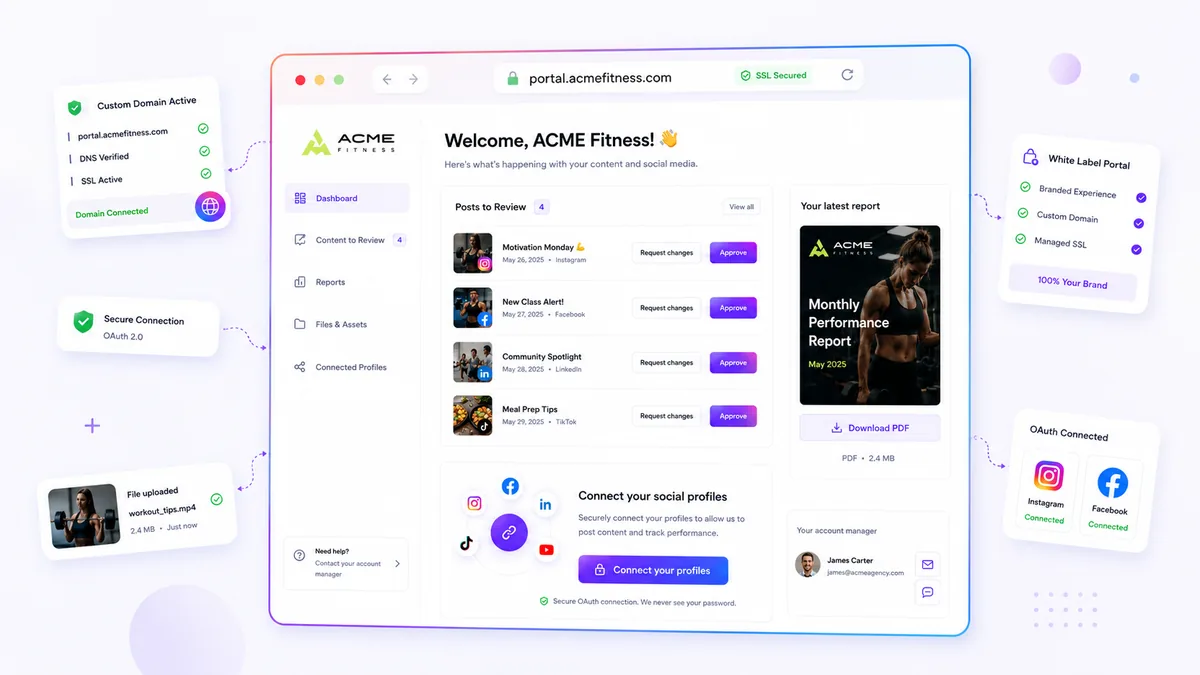
The quickest way to hand off a client's custom domain is one short email that names the exact DNS record, who adds it and how to confirm it worked. Most delays aren't technical. They happen because the client's IT person gets a vague request and replies with questions.
TLDR: Ask for one record, from one person, with a clear way to check it. Keep the domain in the client's name. Then confirm the check passes before you announce a launch date.
Mydrop pricing check, September 2026: the entry paid plans of the eight tools most often compared with Mydrop run from $6 per channel (Buffer) and $25 a month (Later) to $99 per user (Hootsuite) and $79 per seat (Sprout Social), read on each vendor's pricing page. Mydrop is free to start, then $19 a month flat, not per seat. Full table on Mydrop's compare pages.
Why domain handoffs stall
Domain work crosses two companies. Your team knows the portal or link-in-bio page. The client's IT person knows the registrar. Neither sees the other's screen.
So the thread goes: "Which record?", "Where do I paste it?", "Is it live yet?". Each answer takes a day. Four rounds of that is a lost week.
The fix is to send everything the other side needs in the first message.
Who does what
Agree this split before the first email.
| Step | Owner | Done when |
|---|---|---|
Choose the subdomain, for example social.clientname.com |
Client marketing lead | Name confirmed in writing |
| Add the domain in your tool and copy the record it shows | Agency | Record visible on screen |
| Add that record at the registrar | Client's IT or whoever holds the registrar login | Record saved |
| Check that the record is detected | Agency | Status shows verified |
| Wait for the secure certificate to be ready | Tool, automatic | Domain shows as secure |
| Assign the domain to a portal or link-in-bio page | Agency | Page loads on the client's domain |
The email that gets answered
Copy this and fill in the brackets.
Hi [Name], we're setting up [social.clientname.com] for your client portal. Could you add one record at your domain registrar?
Record type: [type shown in the tool]. Name: [name shown]. Value: [value shown].
Once it's saved, reply "done" and we'll confirm on our side. It can take a little while to spread, so we won't announce the date until we see it verified. Happy to do this on a 10-minute call if that's easier.
Notice what's missing: no explanation of what DNS is, no screenshots of five registrars. If the IT person wants more, they'll ask. Fewer words get more replies.
Keep the domain in the client's name
Never buy the domain on the client's behalf under your own account. If you part ways, they lose their address. Ask the client to keep ownership and give you only the ability to add one record.
This also makes IT happier. They're changing one line, not handing over control.
Five checks before you announce a date
- The record is detected. Don't trust "I added it". Look at the status in your tool.
- The certificate is ready. The page must open without a browser warning.
- The right page is assigned. Open the domain and confirm it shows the client's portal or link-in-bio page, not a blank one.
- A second person has opened it. Ask someone on a different network to load it.
- A fallback link exists. If something fails on launch day, you can still share the original link.
If the secure certificate fails, our checklist on what to check when your custom domain SSL fails walks through the usual causes.
What Mydrop handles for you
In Mydrop, adding a client-owned domain checks the DNS record for you, shows you what's wrong if it doesn't match, sets up the secure certificate once the check passes, and lets you assign the domain to a link-in-bio page or the client portal. That keeps your part of the table short, so the email above is the only manual step.
If you run several clients, this pays off quickly. See how it fits agency work on our agencies page.
Try it on your next client
Pick the next client who wants a branded address. Send the email above on day one, not day ten. Then start free on Mydrop, add the domain and see how many replies it takes.
 Google review
 Trustpilot review
 Product Hunt comment





