

















Yes, one inbox can hold community DMs, comments and moderation, but the tool category changes the answer. A social suite (Mydrop, Sprout Social) is built around public conversations and sits next to publishing. A helpdesk (Zendesk) is built around tickets and service targets, and handles social as one more channel. Choose by who answers the messages, not by feature count.
TLDR: Marketing or community team answering DMs and comments: pick a social suite. Support team with ticket volume and service targets: pick a helpdesk with social channels. Check the billing basis (per seat, per agent or flat) before you compare headline prices.
Mydrop pricing check, September 2026: the entry paid plans of the eight tools most often compared with Mydrop run from $6 per channel (Buffer) and $25 a month (Later) to $99 per user (Hootsuite) and $79 per seat (Sprout Social), read on each vendor's pricing page. Mydrop is free to start, then $19 a month flat, not per seat. Full table on Mydrop's compare pages.
Mydrop, Sprout Social and Zendesk side by side
| Mydrop | Sprout Social | Zendesk | |
|---|---|---|---|
| Category | Social media management | Social media management | Customer service helpdesk |
| Core unit | Message or comment in a social inbox | Message in a unified inbox | Support ticket |
| Public comments | Inbox plus trigger-word comment automation | Handled in the inbox | Possible, but not its focus |
| Publishing and calendar | Yes, in the same app | Yes, in the same app | No |
| Strongest for | Multi-brand teams and agencies that also publish | Larger teams wanting a mature all-in-one suite | Support teams with SLAs, macros and ticket reporting |
| Billing basis | Flat | Per seat | Per agent |
The last row matters more than it looks. Per seat and per agent costs grow with every person you add to the inbox. A flat plan does not. Our reading of every vendor's pricing page is in the pricing check above, and the compare pages go deeper.
When a social suite is the better fit
Choose a social suite when:
- the same people write the posts and answer the replies, so seeing both in one place saves context switches,
- comments matter as much as DMs (giveaways, product questions under ads, community threads),
- you manage several brands and need each brand's inbox kept apart.
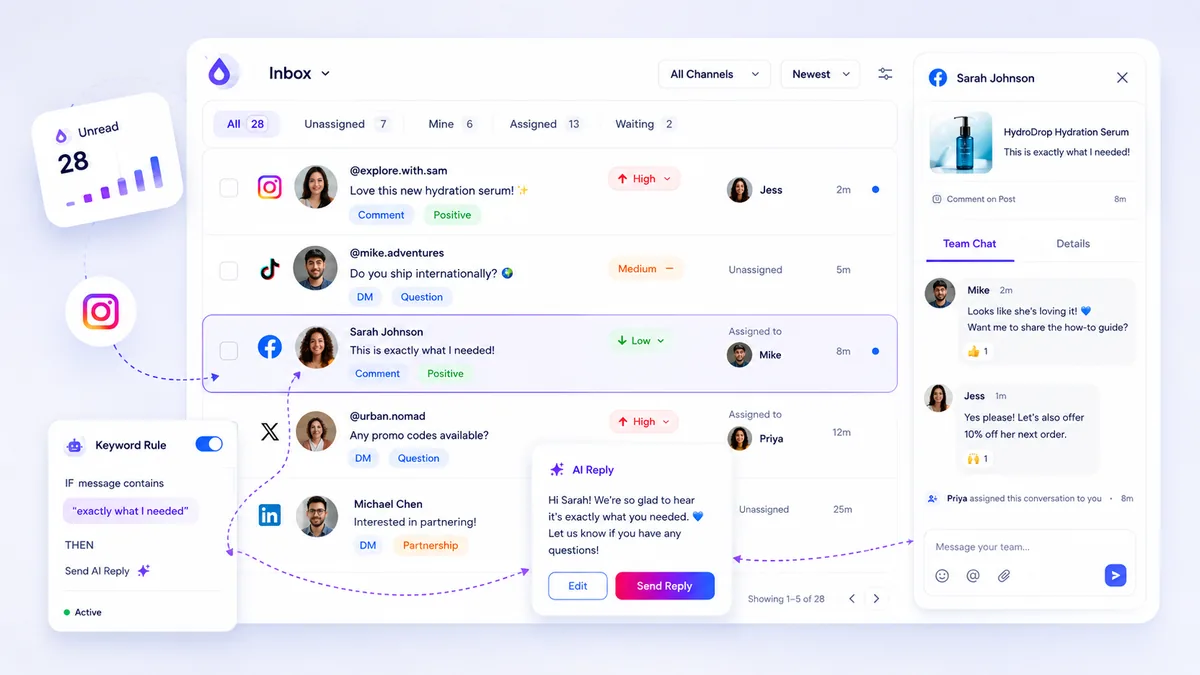
In Mydrop, the social inbox works alongside trigger-word automation, which answers common comment keywords instantly and leaves the rest for a person. Separate workspaces keep each brand's messages apart.
When a helpdesk is the better fit
Choose a helpdesk when:
- support agents, not marketers, own the conversation, and need ticket history, macros and service-level reports,
- social is one of several channels next to email, chat and phone,
- you must prove response times to a customer contract.
The trade-off: a helpdesk gives you a very strong support record and a weaker view of the public side. If a complaint lands as a comment on a post, check how that reaches the team and whether they can see the post it sits under.
Moderation: the question vendors answer vaguely
"Moderation" can mean three different things, so ask about each:
- Seeing every comment, including those on paid posts and old posts.
- Acting on them: hiding, deleting or replying from the tool. Each network's API allows different actions, so confirm per network.
- Filtering spam and abusive words automatically.
Ask for a live demo of the exact network you care most about, not a feature list.
Five questions for a 14-day trial
- Connect your real accounts. Do old comments and DMs appear, or only new ones?
- Assign a conversation to a teammate. How many clicks?
- Can a teammate leave an internal note that the customer never sees?
- Can you filter by brand, by status and by assignee?
- What happens to your monthly cost if you add three more people?
If your answers point to a social suite, Mydrop's free start is a low-risk first trial. If they point to ticketing, run the Zendesk trial with a real week of messages instead of a demo set.
Next step: write down who answers messages today and how many a week. That one line usually makes the choice for you.


 Google review
 Trustpilot review
 Product Hunt comment





