































If you want one tool that schedules posts and holds them until reviewers sign off, pick a scheduler where approval is a status on the post itself, not a separate review app. Mydrop, Planable, Sprout Social, Hootsuite, Loomly, Agorapulse and Gain all do this. They differ on how several reviewers share one decision and on whether a client needs an account.
TLDR: A real built-in approval system means an unapproved post cannot publish, every reviewer sees the same preview, and feedback stays on the post. Check those three things in a free trial before you compare anything else.
Mydrop pricing check, September 2026: the entry paid plans of the eight tools most often compared with Mydrop run from $6 per channel (Buffer) and $25 a month (Later) to $99 per user (Hootsuite) and $79 per seat (Sprout Social), read on each vendor's pricing page. Mydrop is free to start, then $19 a month flat, not per seat. Full table on Mydrop's compare pages.
Three tests a built-in approval system must pass
Plenty of schedulers say "approvals" and mean a comment box. Run these three tests in the trial with one real post.
- The lock test. Ask a teammate without approve rights to schedule a post. It should land as pending, not in the queue. If it publishes, the approval is decoration.
- The two-reviewer test. Send the same post to two reviewers, for example your manager and the client. Check what happens when one approves and the other asks for changes.
- The outsider test. Send a review request to someone with no account. Count the clicks they need before they see the post.
A tool that fails the lock test will eventually publish something nobody approved. That is the one failure you cannot undo.
How several reviewers approve one scheduled post
When more than one person reviews, the tool has to decide whose answer counts. There are three common models.
- Any reviewer releases it. The request goes to several people at once and the first approval schedules the post. Fast, and good for "manager or client, whoever is free".
- Everyone must approve. The post waits until every named reviewer says yes. Safer for legal or regulated copy, slower by design.
- Reviewers in order. Editor first, then legal, then client. Each step only opens when the last one closes.
Ask which model a tool uses before you buy. Most teams need the first one for daily posts, and the second or third only for launches and regulated content.
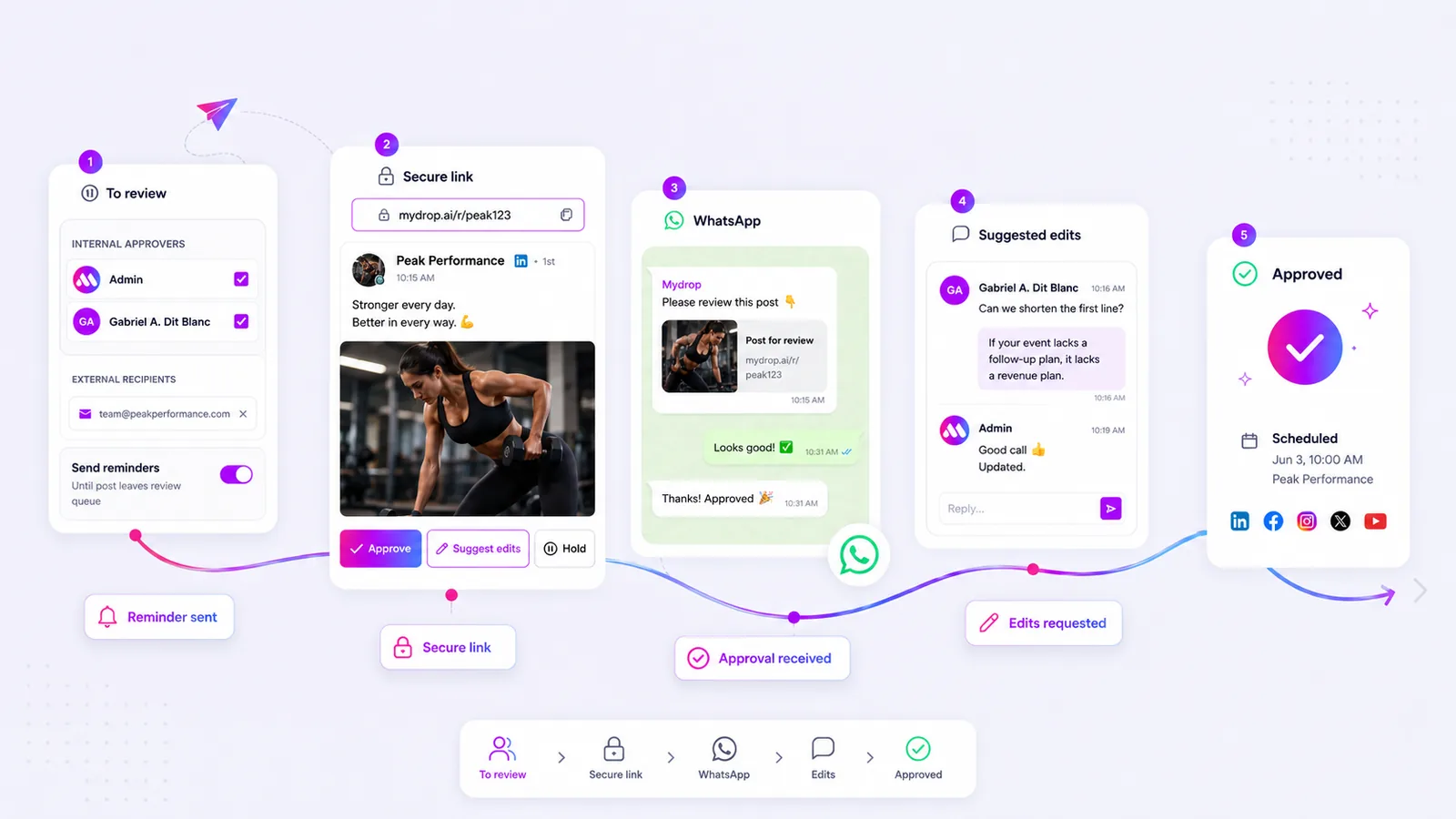
In Mydrop, a post can go to one or several approvers at once, and the first approval schedules it. A "suggest edits" answer sends the post back to draft with the note attached, so nobody approves an old version by accident.
The 7 schedulers with approval built in, compared
| Tool | How approval works | Best fit |
|---|---|---|
| Mydrop | Request to one or more reviewers, no-login review link, approve by WhatsApp, reminders | Agencies and teams that need clients to sign off fast |
| Planable | Approval on a feed-style preview of each post, from optional to multi-level | Teams that review visuals and copy together |
| Sprout Social | Approval workflows inside a large suite with inbox and listening | Larger in-house teams already on Sprout |
| Hootsuite | Posts drafted by members with limited permissions wait for approval | Teams already running Hootsuite |
| Loomly | Approval workflows tied to its calendar and post ideas | Small teams that want guided planning |
| Agorapulse | Posts assigned for review, plus a shared calendar for clients | Teams that care most about the inbox |
| Gain | A tool built around approval, with multi-step review and reminders | Agencies whose main pain is sign-off |
Pick by fit: a team of three posting for one brand and an agency with forty clients need different answers.
What the client sees decides how fast posts get approved
Reviewer friction is where approval time goes. A client who has to create an account, remember a password and find the right workspace will answer tomorrow. A client who taps a link on their phone answers in the taxi.
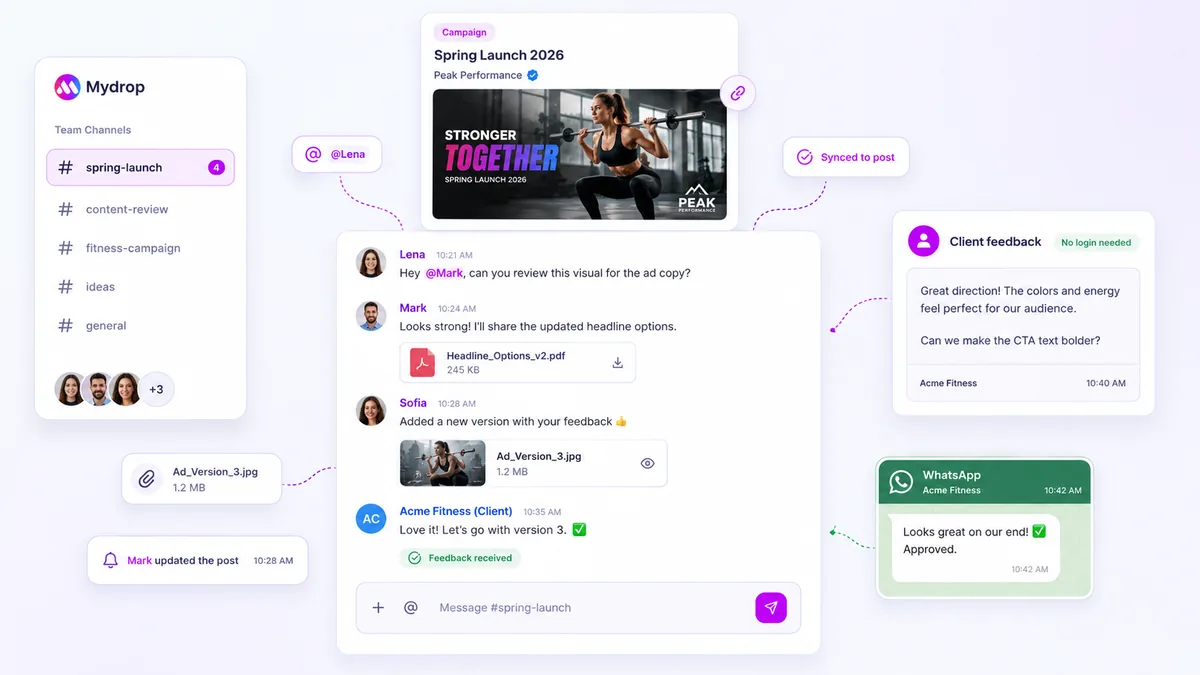
Mydrop sends each post as a secure review link with a true-to-platform preview. The client sees the post as it will publish, then approves, holds or suggests edits without logging in. If the client has a verified WhatsApp number, the request can arrive there with Approve and Suggest edits buttons. Feedback from either route lands in the post's own chat. The full flow is on the approvals feature page.
In Mydrop's data on client approvals, the median time from submission to approval was 6 hours.
Reminders keep pending posts from missing their slot
A post waiting for approval is a post at risk of missing its time. Look for reminders that repeat on a schedule you choose and stop the moment someone answers.
In Mydrop, reminders repeat every few hours, days or weeks while a post is pending. They stop when the post is approved or sent back to draft. For a full nudge schedule, read how to automate approval reminders.
Another option worth a look: PostWire
PostWire publishes and schedules posts to 13+ networks straight from Claude, ChatGPT or n8n. Clients approve each network's version from a signed link, with no account needed; approvals start on the Pro plan ($29/mo).
Run the lock test on your own calendar this week
Pick the tool with the right reviewer model, then test it with real work:
- Invite one teammate as a contributor without approve rights.
- Have them schedule three real posts for next week.
- Send one post to two reviewers, one of them outside your company.
- Check that nothing published without a yes, and note how long each answer took.
To run the test in Mydrop, create a free workspace, connect one profile and set the roles before you invite anyone.

 Google review
 Trustpilot review
 Product Hunt comment





